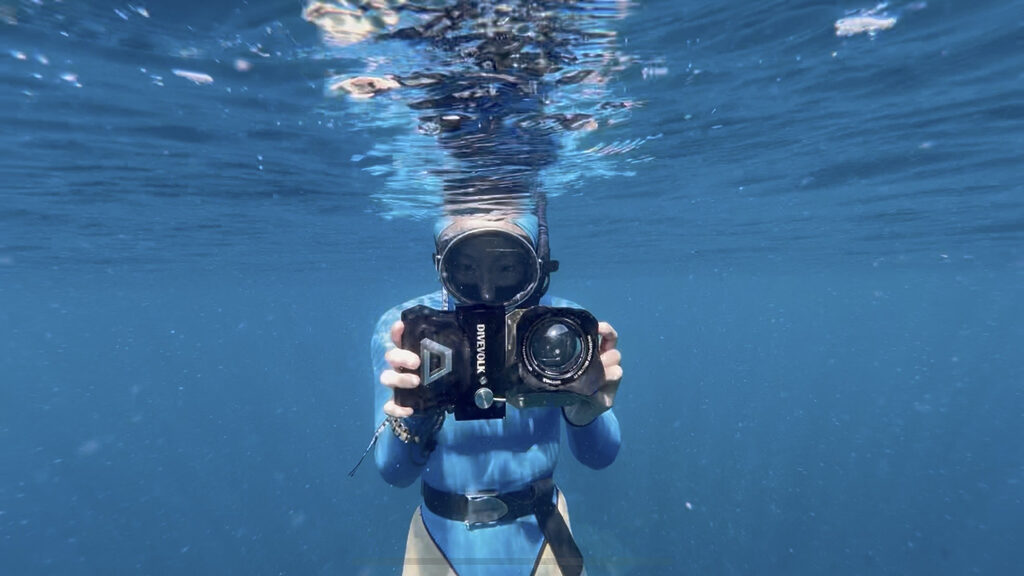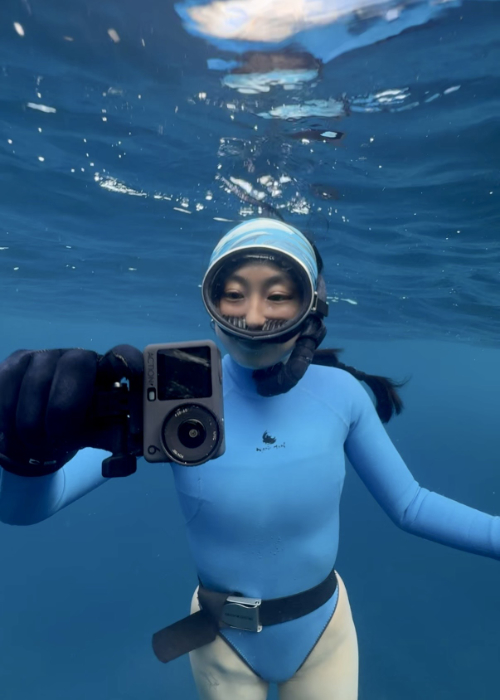
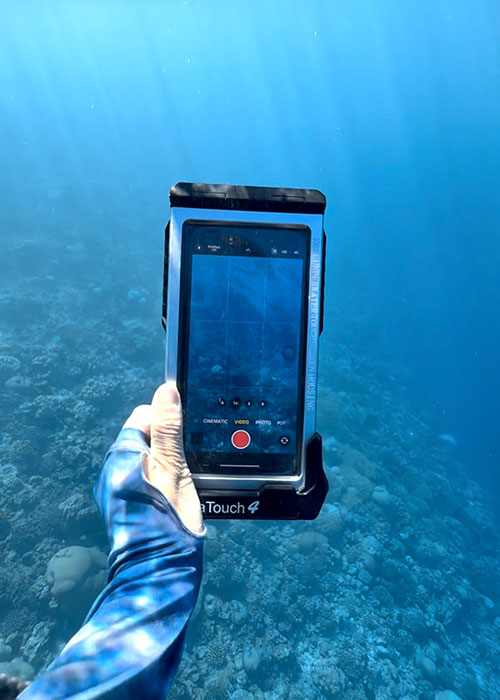
I currently use both an iPhone 16 Pro inside a DIVEVOLK SeaTouch 4 Max Plus case and a DJI Osmo Action 6 for my underwater content. This iPhone vs action camera underwater comparison is based on my actual experience using both while freediving and creating underwater content.
You can also see my iPhone 16 Pro underwater footage and settings breakdown here: 👉 Can You Film Underwater With iPhone 16 Pro? My Real Footage + Settings Breakdown
In this article, I’ll compare the underwater colors, image style, screen size, ease of use, editing, and how both cameras perform in shallow, deeper, and murky water, as well as which one I personally choose in different situations.
Quick Answer: iPhone vs Action Camera Underwater, which Is Better?
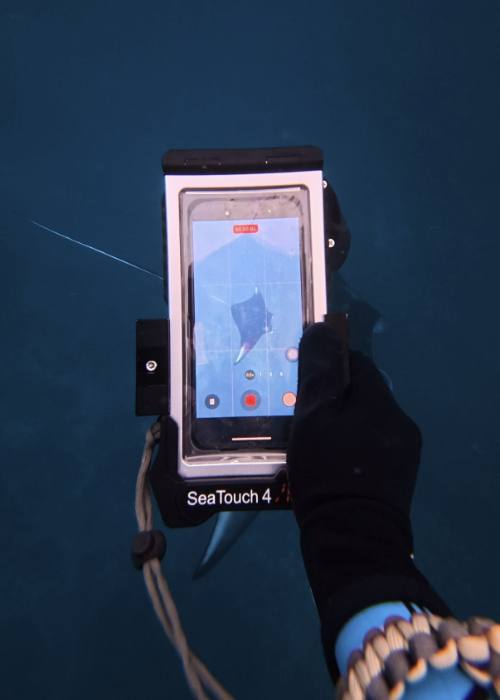
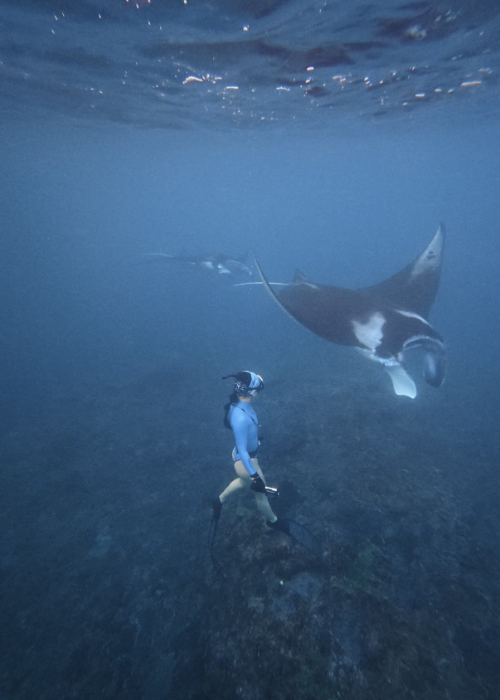
I would not say one is simply better than the other, because I still use both and I choose them for very different situations. I usually prefer the iPhone in clear and shallow water, especially when I am filming people, close-ups, or content that I want to feel more natural and relatable for social media. I use the DJI Osmo Action 6 more when the water is murky, the dive is deeper, I need a very wide view, or I just want footage that already looks good without spending much time on color grading.
Here is a quick comparison of which one I would personally choose in different situations:
| Situation | What I Usually Choose |
| Clear or shallow water | iPhone |
| Murky, green or deeper water | DJI Osmo Action 6 |
| People, portraits, and close-ups | iPhone |
| Good colors without much editing | DJI Osmo Action 6 |
| Natural and relatable social media style | iPhone |
| Bigger screen & more control | iPhone |
| Smaller and easier to handle underwater | DJI Osmo Action 6 |
| Edit and share immediately after the dive | iPhone |
Underwater Shot: iPhone 16 Pro vs DJI Osmo Action 6
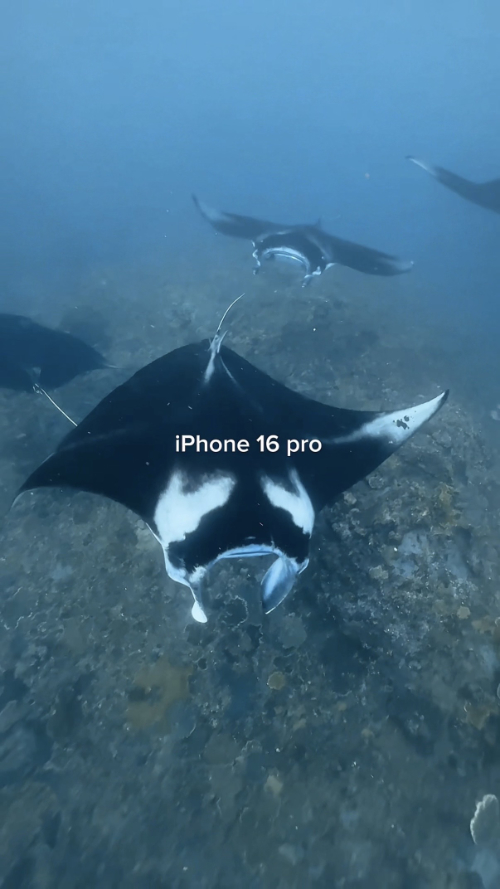
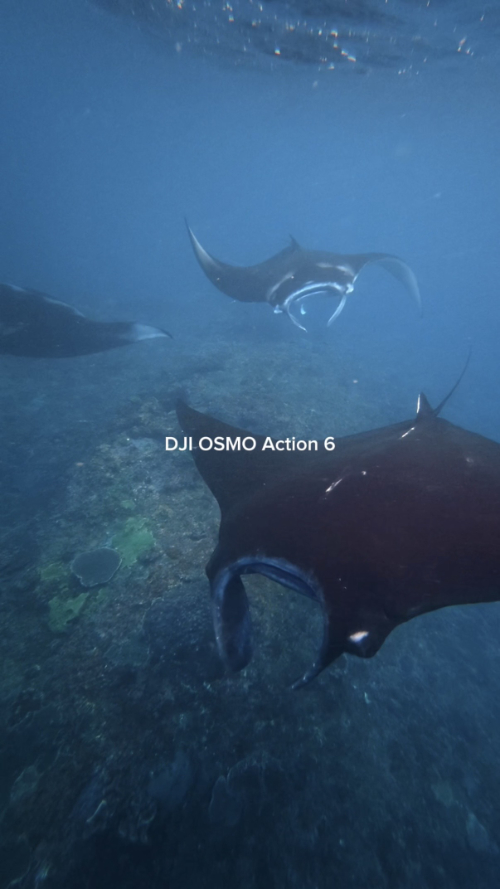
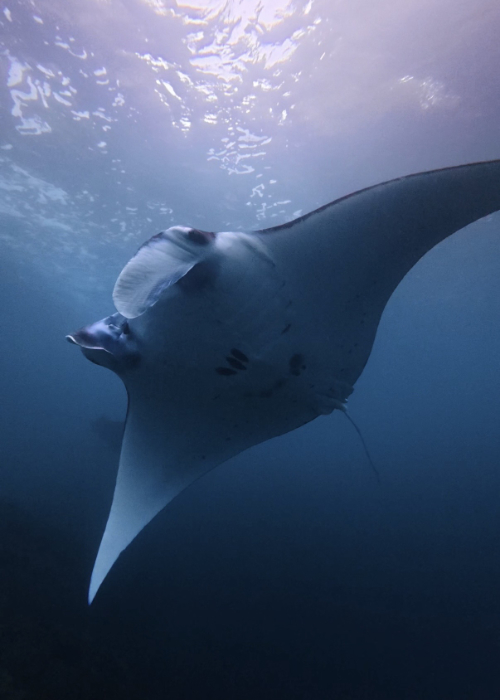
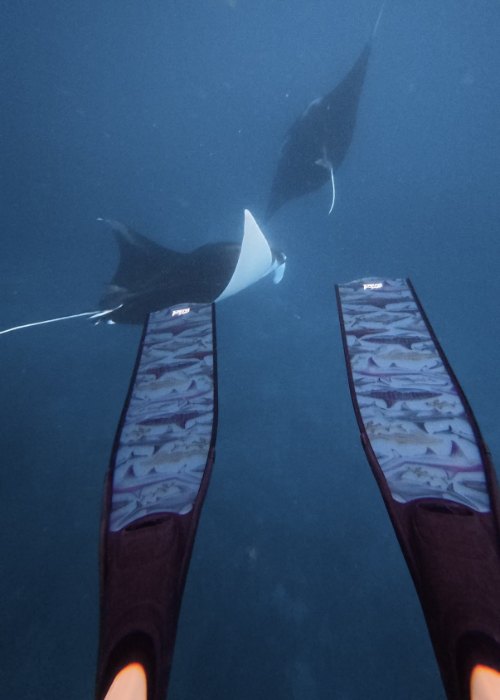
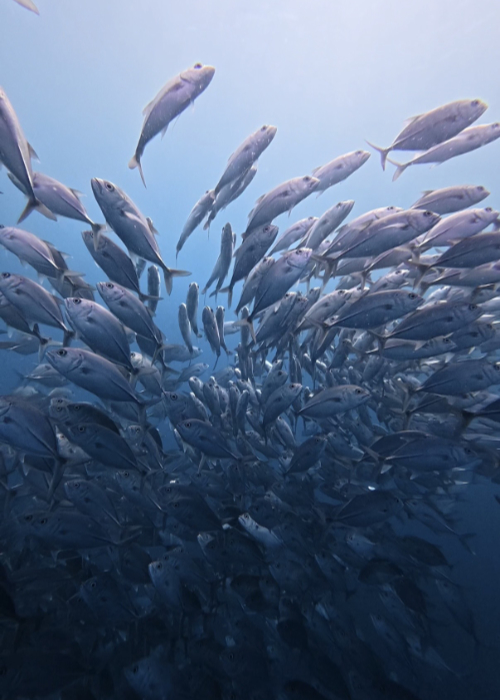
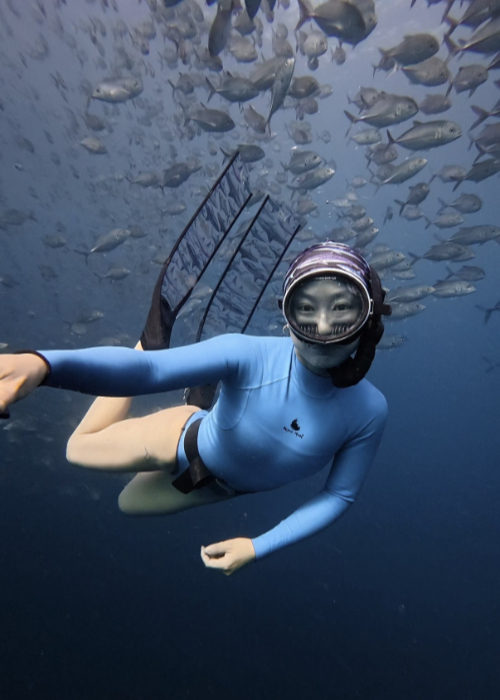
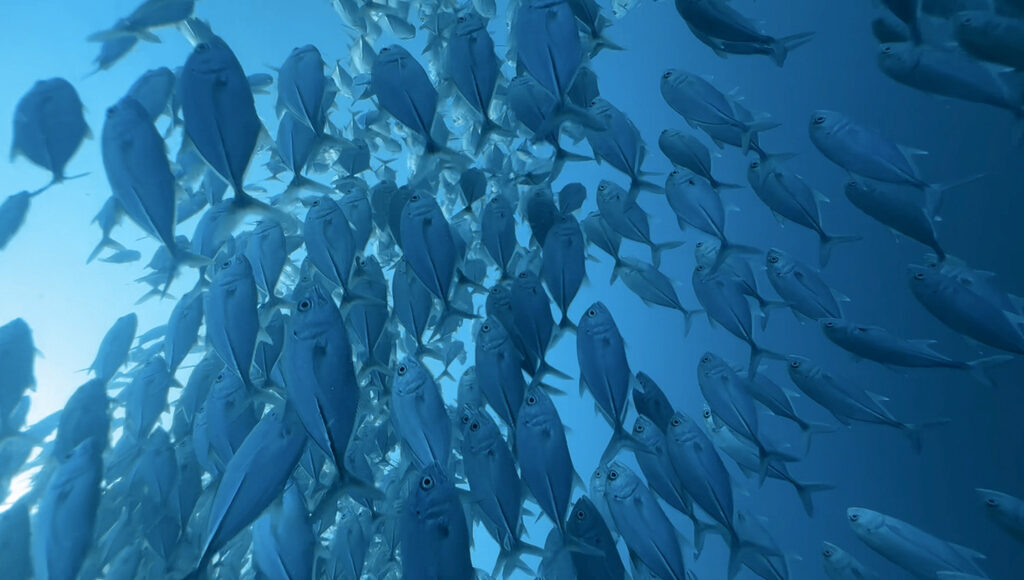
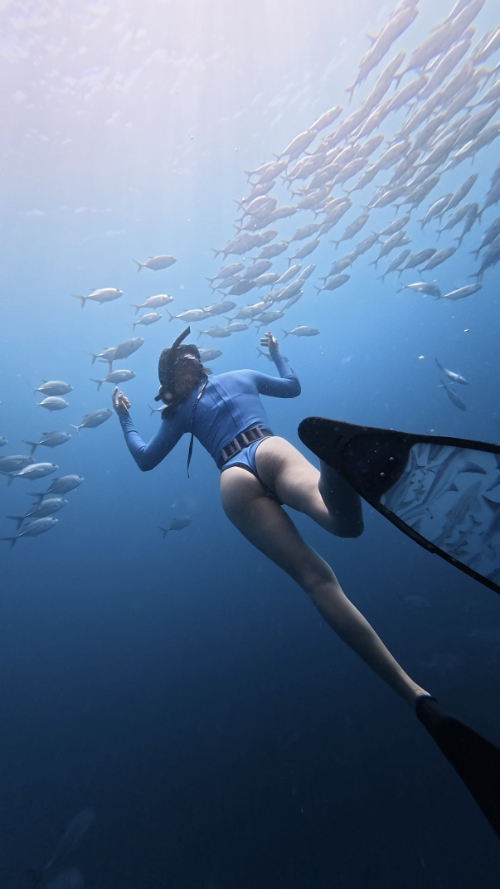
The two clips below were filmed during the same dive and at the same location, so you can see the difference between the iPhone 16 Pro and DJI Osmo Action 6 in a real underwater situation. This is not a perfect laboratory test because the distance and camera angle were not exactly the same, but it gives you a much more realistic idea of how both cameras actually look during a dive.
Underwater Image Style: Real Life vs Cinematic
iPhone Footage Feels More Natural and Relatable
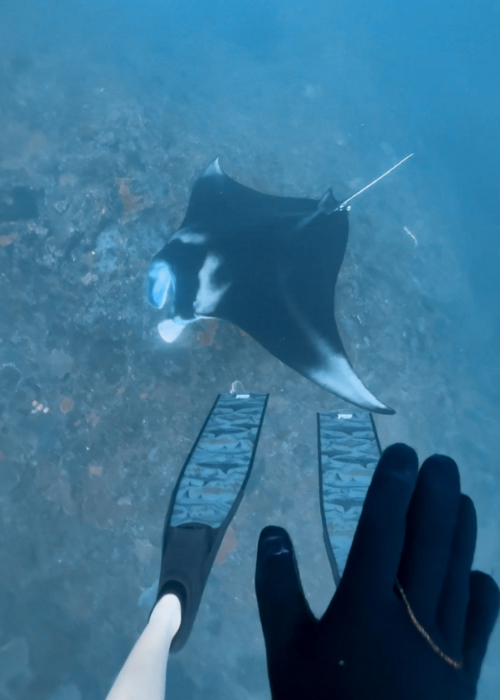
For me, iPhone footage feels more like a real moment, because everyone is already so used to seeing photos and videos filmed on a phone. It feels less like you are watching a polished underwater movie, and more like you are actually there with the person, seeing the moment through their phone.
This is also why I think iPhone footage works really well for Instagram Stories, TikTok, and Reels, especially now when social media is moving more towards content that feels real and relatable. When you come closer to the subject, particularly for people, portraits, or small underwater details, the image also feels cleaner and less distorted than action-camera footage, which I personally prefer a lot.
DJI Action 6 Underwater Looks More Cinematic
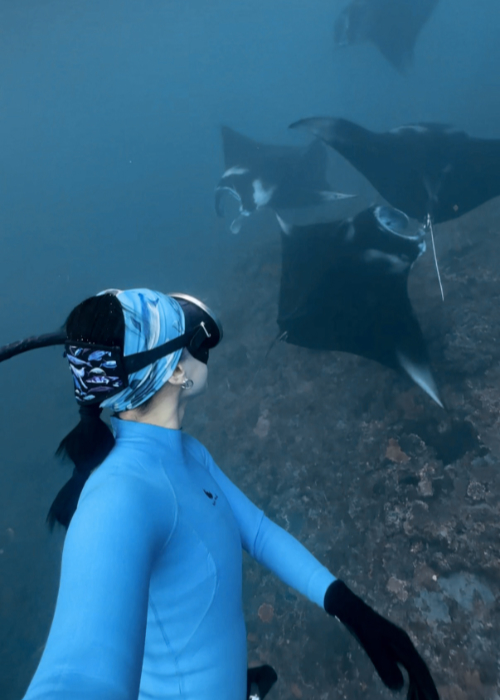
The DJI Action 6 footage feels more like a travel film or a beautiful underwater movie to me. When I use it for wider underwater views, the stronger wide-angle look makes the whole scene feel bigger and more dramatic, while the deeper blue color gives the footage a more cinematic feeling.
Compared with the Insta360 Ace Pro, I personally prefer the way DJI handles underwater colors. The Insta360 footage often looks brighter and more saturated blue, while DJI gives me a darker, slightly less saturated blue that fits my own editing style much better. I would not say one style is better than the other, they just give you two very different feelings: the iPhone feels more real and relatable, while the DJI feels more like you are watching a beautiful underwater film.
Underwater Colors in Shallow, Deep, and Murky Water
In Clear and Shallow Water, I Often Prefer the iPhone
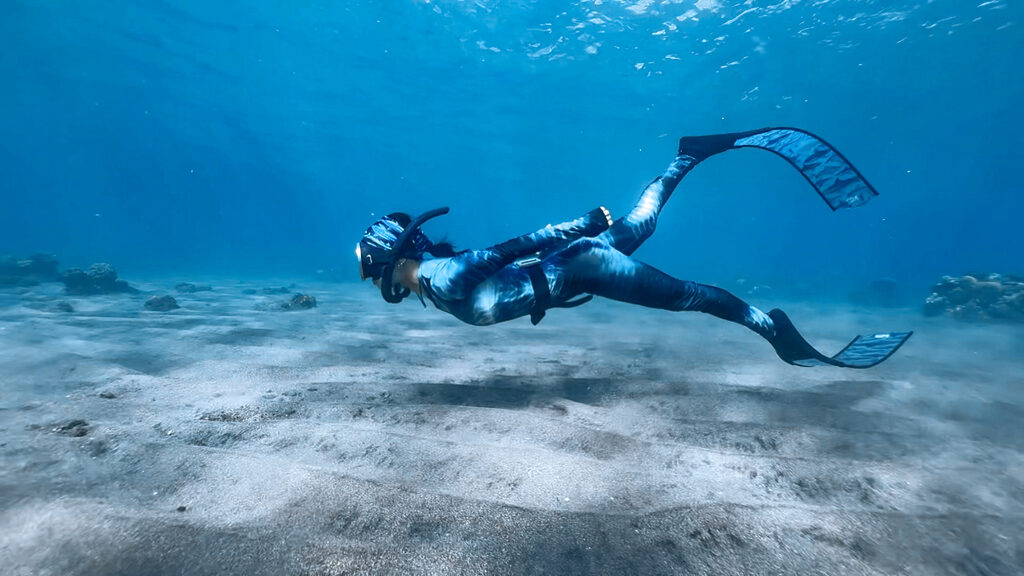
The iPhone can look really beautiful underwater, especially in clear and shallow water where there is still enough natural light and the warmer colors have not disappeared completely. Around 1–3 meters, I often prefer it for filming people, portraits, or animals that come close to the camera, because the colors feel more natural and there is less wide-angle distortion.
The colors are also still much easier to bring back with a simple edit, because some of the red, orange, and yellow are still present in the original footage. The DJI Action 6 can sometimes make very shallow scenes look a little too bright or overexposed, while the iPhone usually gives me a more balanced and natural-looking result in this depth range.
For the exact settings and shooting tips, I also wrote these guides:
👉 Best iPhone Settings for Underwater Photos and Videos
👉 How to Take Underwater Photos With iPhone
In Deeper or Murky Water, DJI Is Easier
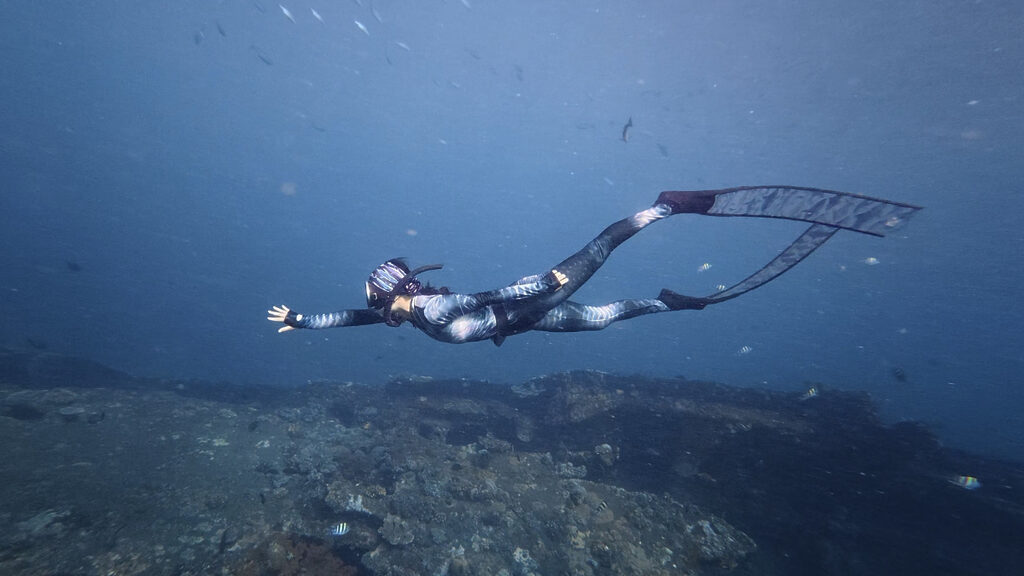
Once I go deeper, or when the water becomes green, murky, or full of particles, the iPhone becomes much harder to use because I need to stay very close to the subject to get a clean image. If there is too much water between the phone and the subject, the footage can quickly start to look flat, blurry, and difficult to fix afterwards.
This is where I normally choose the DJI Action 6. It cannot magically turn murky water into clear water, but its automatic underwater color processing usually gives me a cleaner and more usable result straight from the camera. I noticed this especially in Norway, where the water was dark and green, and in Maratua, where the water had more particles even though the corals and fish were very colorful.
Screen Size & Underwater Control
iPhone Gives You a Much Bigger Screen
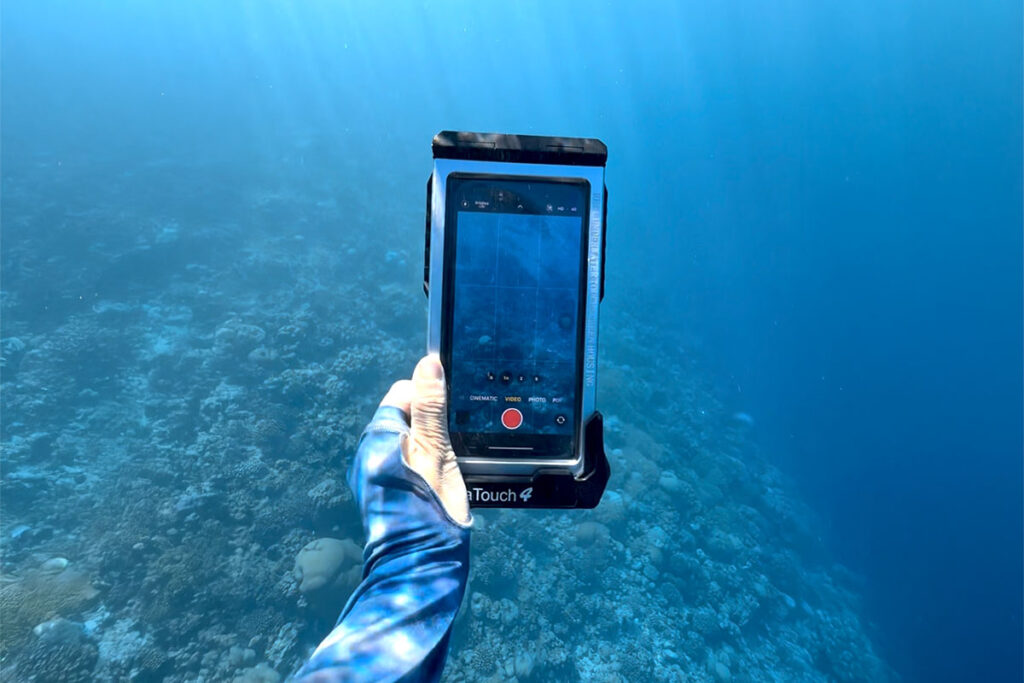
One of the biggest reasons I still like filming underwater with my iPhone is the screen size. It is much easier to see the subject, frame the shot, and understand if the person holding the camera is pointing it in the right direction, especially when filming animals, close-ups, or when someone else is filming me.
With the DIVEVOLK touchscreen, I can also change settings underwater, switch between photo and video, tap to focus, and check the clips I just filmed. If something was blurry, badly framed, or simply not recorded properly, I can see it while I am still in the water and try the shot again instead of only finding out later.
Another advantage is that the photos and videos are already saved on my phone. I can check them immediately after the dive, edit them, send them to friends, or post them within a few minutes.
I also compared DIVEVOLK with several other underwater phone cases here:
👉 Best Underwater Phone Case for Photography
DJI Keeps the Controls Simple
With the DJI Action 6, I normally just turn it on, press record, and film. There are fewer things I need to adjust underwater, which is useful when I simply want to capture the dive without thinking too much about settings.
The screen is much smaller though, and although I can check the footage on the camera, I do not find it as easy to review the framing or small details properly. Most of the time, I only look at everything later after connecting the DJI to my phone and transferring the clips.
Size, Weight, and Travel
DJI Action 6
The DJI Action 6 weighs only 149 g, so it is much smaller and lighter than my phone setup. Even when I use a longer selfie stick, I can still hold it with one hand without feeling like I am carrying too much equipment.
It is very easy to put in my bag, take out, and start filming without preparing a bigger setup. For spontaneous dives, jumping from a boat, or days when I simply do not want to carry too much gear, the DJI is definitely more convenient.
iPhone + DIVEVOLK
The DIVEVOLK SeaTouch 4 Max Plus case weighs 375 g on land and around 150 g underwater, and this is before adding the weight of the phone, lens, clamp, or handle. The complete setup is therefore clearly bigger and heavier than the DJI.
Because my actual phone is inside, I naturally become more careful when jumping from a boat, getting back onto the boat, or moving around with it underwater. It is still very travel-friendly compared with a traditional underwater camera rig, but it does not feel as effortless as carrying a small action camera.
For me, the extra size and weight are often worth it when I really care about the framing, screen size, underwater controls, and how the final footage looks.
Editing Workflow
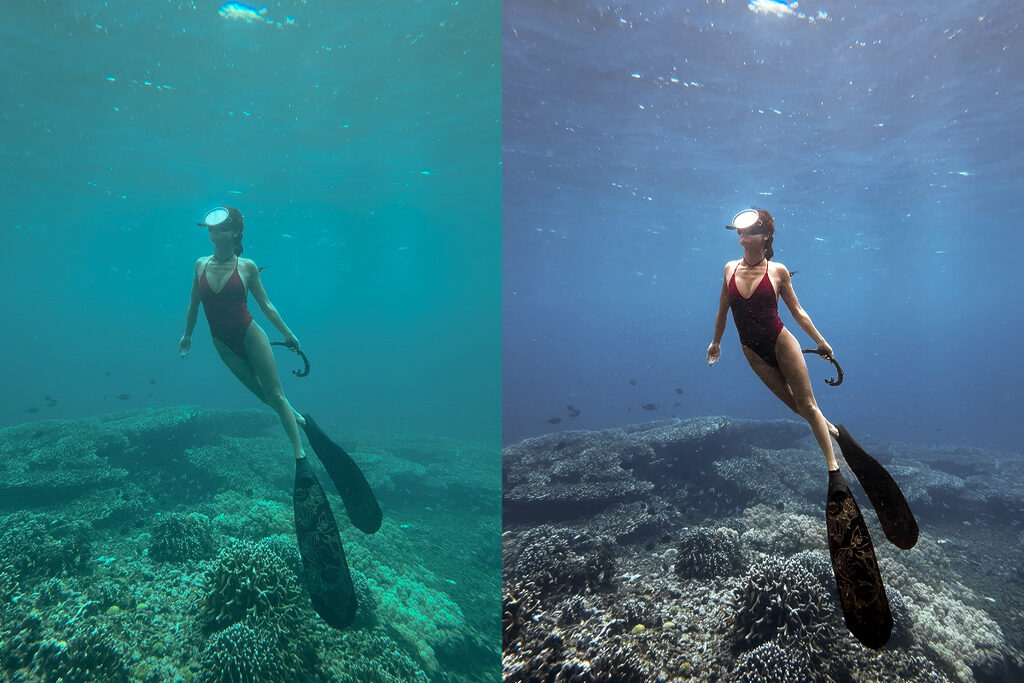
iPhone Usually Needs Some Color Grading
Most of my iPhone underwater footage needs at least a little bit of color grading, especially when the water looks too green or the skin tone feels flat. I normally use Lightroom Mobile or CapCut, and even a very simple adjustment can already make the footage look much better.
But honestly, I do not color grade every single video. Sometimes I am lazy, sometimes I actually like the green underwater feeling, and sometimes I just want to post the moment without making everything perfect. That does not mean the video will automatically perform badly, because for social media, the story and the feeling of the moment can be more important than having perfect underwater colors.
I also think over-editing can sometimes make the footage feel more distant from the viewer. My goal is not to turn every clip into a professional underwater photography project, because I am mainly creating underwater content for Instagram and TikTok, and I usually prefer it to still feel real and relatable. A small amount of color correction is often enough for the style I want.
You can also read my full editing workflows here:
👉 How to Edit Underwater Videos on iPhone
👉 How to Edit Underwater Photos on iPhone
DJI Action 6 Saves Me More Editing Time
With the DJI Action 6, I normally do not color grade the footage at all. The underwater colors already look usable straight from the camera, so I can transfer the clips, cut the video, add music or text, and post it without spending extra time fixing the color.
This makes the DJI much easier for anyone who does not enjoy editing or just wants a simple camera that gives a good result quickly. The iPhone gives me more freedom to create the exact look I want, but the DJI saves more time in color grading.
What About Insta360 Ace Pro and DJI Action 5?
Before switching to DJI, I also used the Insta360 Ace Pro, and it was the first action camera that showed me how useful automatic underwater color correction could be. The footage already came out bright and blue with some warmer colors brought back, so it needed very little editing, although the saturated blue was not always my favorite style.
Later, I used the DJI Osmo Action 5 and preferred its darker, less saturated underwater colors, as well as the DJI app, although I sometimes had frustrating Bluetooth connection problems. I now use the Action 6, but honestly, the upgrade does not feel huge for my normal underwater filming because the overall experience is still quite similar. I mainly hope it stays reliable and does not give me the same connection issues.
Who Should Choose an Underwater Phone Case?
An underwater phone case makes sense if you already have a good iPhone or Android phone and want a bigger screen, more control, and the option to add lenses, lights, filters, or handles. I think it is especially useful for scuba divers, because you normally have more time underwater to adjust the setup, check your framing, and try the shot again.
As a freediver, I keep my setup much simpler and normally only use the DIVEVOLK case with a wide-angle lens, because adding lights and a heavy tray would make it harder to dive on one breath. I still choose the phone when I want more control and footage that feels natural for Instagram or TikTok.
You can read my full DIVEVOLK SeaTouch 4 Max Plus review here:
👉 DIVEVOLK SeaTouch 4 Max Plus Review
Who Should Choose the DJI Osmo Action 6?
The DJI Osmo Action 6 is the easier choice if you want something small, light, and simple. You can take it underwater, press record, and use the footage afterwards without spending much time on settings, accessories, or color grading.
It works well for both freedivers and scuba divers, especially if you are new to underwater filming, do not want to take your main phone underwater, or simply want a camera that is ready to use. The main difference is that the DJI gives you less to adjust and less to think about, while a phone case gives you more control and more ways to build the setup around your own style.
If the DJI Osmo Action 6 sounds like the better option for you, you can check the current price and availability on Amazon here:
👉 Check the DJI Osmo Action 6 on Amazon
This is an affiliate link, which means I may earn a small commission if you order through it.
My Final Thoughts
I still use both because they solve very different problems. The iPhone is my main creative tool when I want more control, a bigger screen, and footage that feels natural and close to real life, while the DJI Action 6 is the easier option when I want something small, lightweight, and reliable.
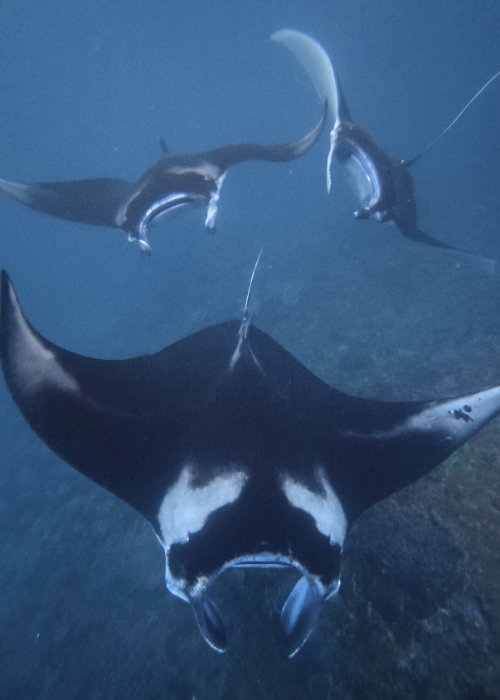
I also just really enjoy the idea of filming underwater with my iPhone because it feels cool to me. My current phone wallpaper is actually a frame I took from one of my manta videos in the Maldives, then I color corrected it and turned it into a photo. I love being able to show someone my screen and say, “Look, I filmed this with my iPhone.” That is still one of the main reasons I enjoy using it underwater so much.
The DJI is what I normally choose when I feel lazy or just want an easy camera to carry. I can put it on a selfie stick, attach it to my weight belt, take it underwater, and start filming without preparing a bigger setup. Sometimes I really like the more cinematic look, and sometimes I prefer the more relatable iPhone style, so it honestly depends on the moment and what kind of feeling I want from the video.
I do not think one is simply better than the other. Both are very good, and both also have their own limitations. The iPhone makes me feel like I am sharing a real underwater moment with people, while the DJI Action 6 gives me something closer to a beautiful underwater movie.
My Underwater Setup & DIVEVOLK Discount Code
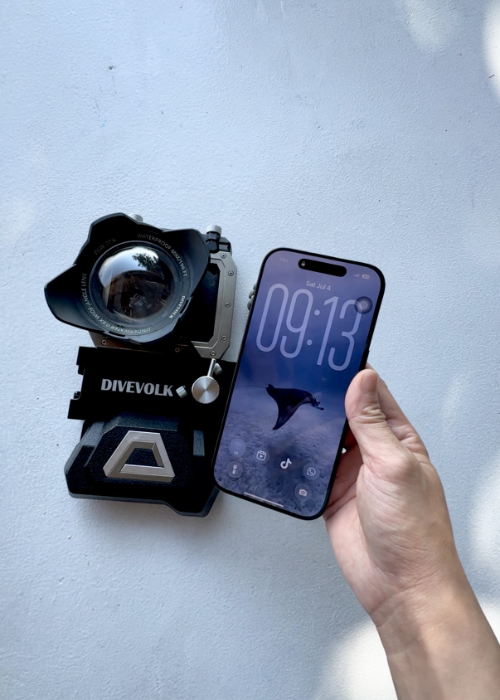
I currently film most of my underwater iPhone footage with an iPhone 16 Pro inside a DIVEVOLK SeaTouch 4 Max Plus case, and I normally also use the wide-angle lens because I prefer the way it makes my underwater footage look.
If you are interested in the same touchscreen underwater phone case I am using, here is a full review I wrote after 3 years of diving with it: 👉 Divevolk SeaTouch 4 Max Plus Full Review
If you’re ready to order now use my DIVEVOLK discount code DIVETIAN6 at checkout to get:
- 6% off your entire order
- A free Protective Cover
- A free DIVEVOLK Outdoor Waterproof Sling Bag on orders over $500
👉 Use code: DIVETIAN6
👉 Order through my DIVEVOLK discount link
The extra freebies usually won’t show on the checkout page, but they will be automatically added to your order by DIVEVOLK.
Just a quick note: I may earn a commission if you order through my link, but this is the exact underwater phone case setup I use myself.
FAQ: iPhone vs DJI Osmo Action 6 Underwater
Can an iPhone Be Used as an Underwater Camera?
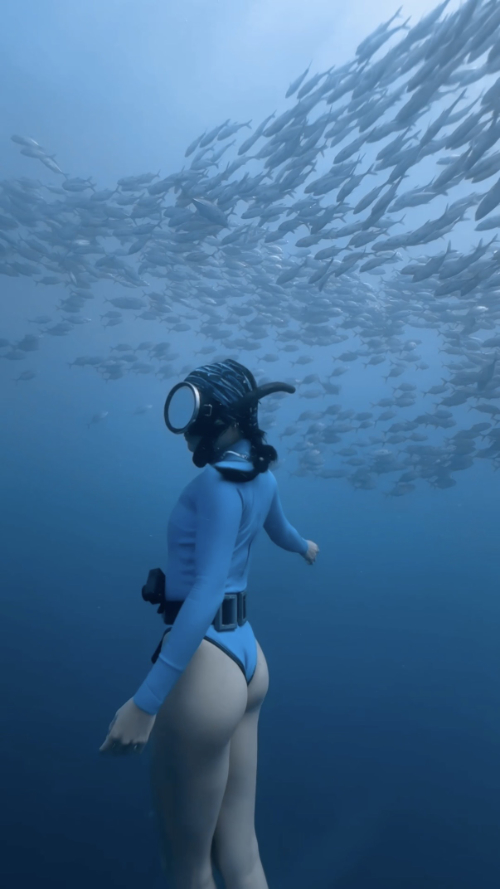
Yes, but you need a proper underwater phone case, and I would never take the phone underwater by itself. With a case like DIVEVOLK, the iPhone can become a complete underwater camera setup where you can change settings, use different apps, add lenses or lights, and check your footage while you are still underwater.
Do I Need an Action Camera if I Already Have a Good iPhone?
Not necessarily. If you already have a good smart phone and you like having a bigger screen, more control, and footage that feels natural for social media, an underwater phone case may be enough. An action camera becomes useful when you want something smaller, lighter, easier to carry, and ready to film without preparing or editing too much.
Which One Has Better Underwater Colors Straight From the Camera?
The DJI Action 6 normally gives me better colors straight from the camera, especially when the water is green, murky, or a little deeper, and I rarely color grade the footage afterwards. The iPhone usually needs some editing, but in clear and shallow water, I sometimes prefer the final iPhone result because the skin tone and the whole image feel softer and more natural.
Which One Is Better in Shallow, Deep, or Murky Water?
In clear and shallow water, especially around 1–3 meters, I often prefer the iPhone for filming people, close-ups, and smaller details. When the water becomes deeper or murkier, the DJI is normally easier because its automatic color processing gives me a more usable result without much work, although it cannot magically make unclear water look completely clear.
Which One Is Better for Scuba Diving or Freediving?
Both can work for scuba diving and freediving. A phone case makes more sense if you want a larger screen, more control, and the option to add lights or lenses, while the DJI is easier if you want something lighter and simpler. I am a freediver and still use both depending on the water conditions and the type of footage I want.
Do I Need to Edit iPhone Underwater Footage?
Most of the time, a small amount of color grading will make iPhone underwater footage look much better, especially when the original video looks too green or flat. But I do not edit every single clip, and sometimes I actually like leaving the natural green underwater feeling, because the moment and story can still be more important than having perfect colors.
Is It Safer to Take an Action Camera Underwater Than My Main Phone?
An action camera can feel less stressful because it is not the phone you use for everything every day, and the setup is also smaller and easier to handle. A proper underwater phone case is designed to protect your phone, but no underwater camera setup is completely risk-free, so I always check the seal, keep the case clean, and handle it carefully before every dive.