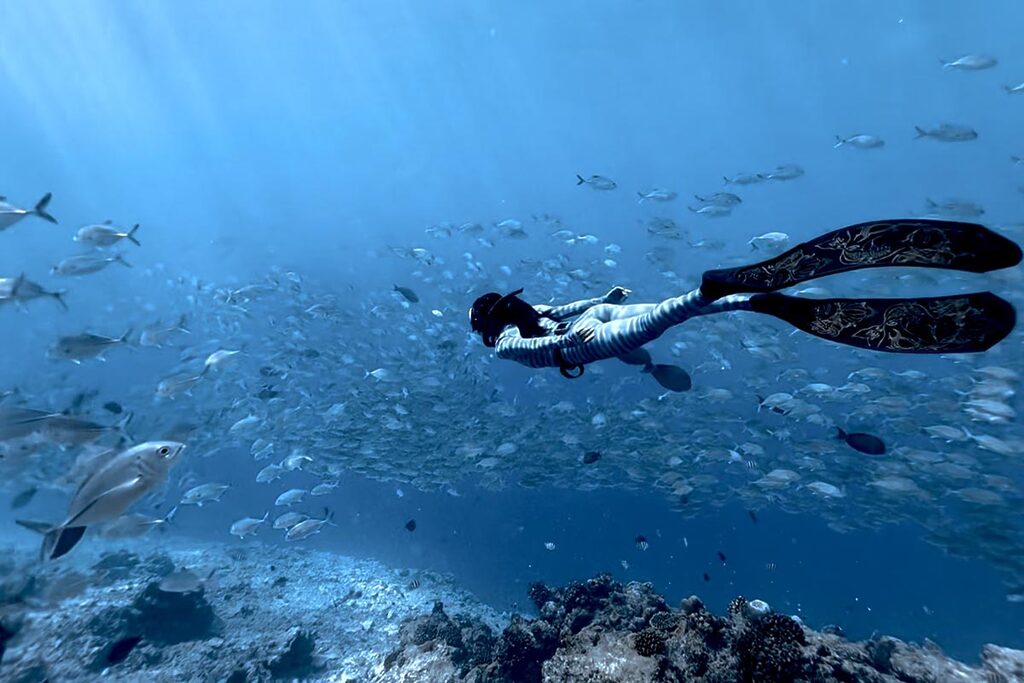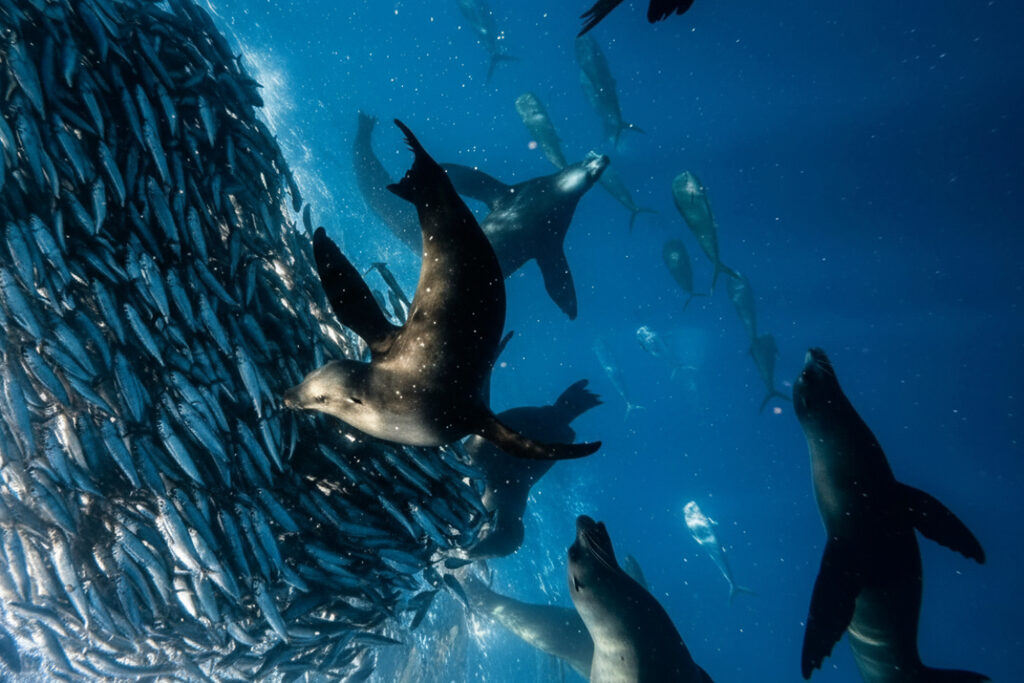
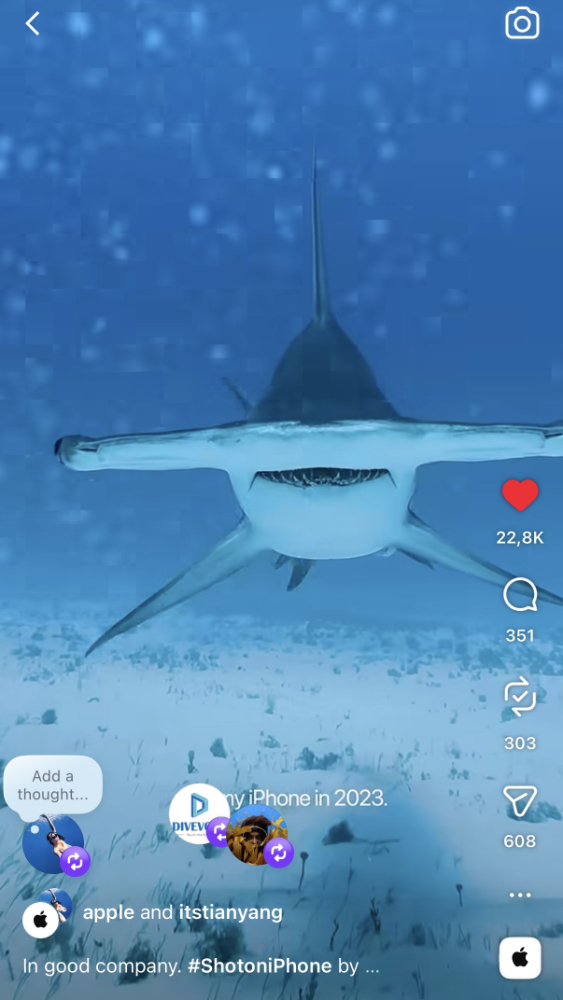
As an underwater content creator, I film a lot of freediving videos with my iPhone in an underwater phone case. Some of my underwater iPhone clips were recently featured by @apple for their recent earth day campaign, which honestly still feels a bit crazy to me, but it also shows how far underwater phone content can go when the setup actually works.
I have been using DIVEVOLK for years now, but I also know that not everyone dives the same way, shoots the same type of content, or needs the same kind of underwater phone case.
So in this guide, I want to compare some of the best underwater phone cases for photography and video based on what I know from my own shooting experience, plus public specs, setup information, and feedback from other divers. My hands-on experience comes from using DIVEVOLK with my iPhone while freediving, but I will help you understand what to look for, what the differences are, and which underwater phone case might fit your own diving style and content creation needs best.
Can you really dive and film underwater with a phone?
Short answer: yes, you absolutely can! With the right underwater phone case and some small tips on distance, lighting, and settings, your underwater photos and videos can look like they came from a professional camera, and maybe even better 🙂
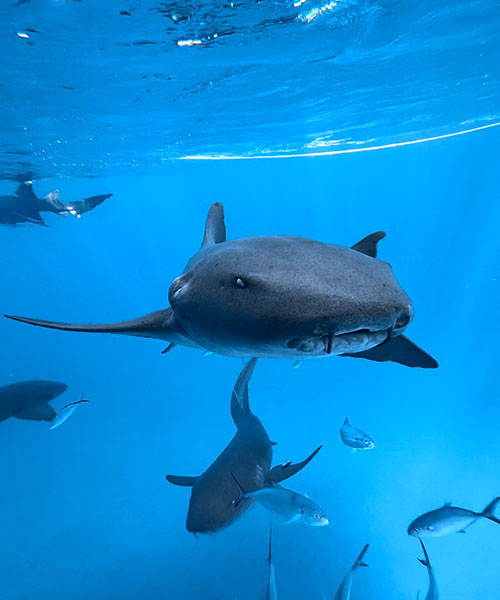
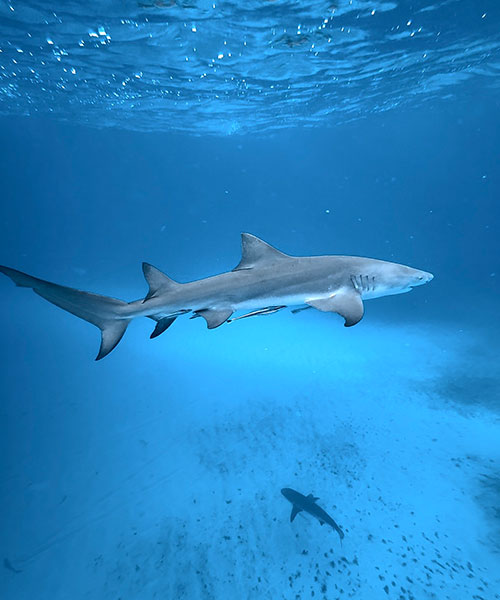
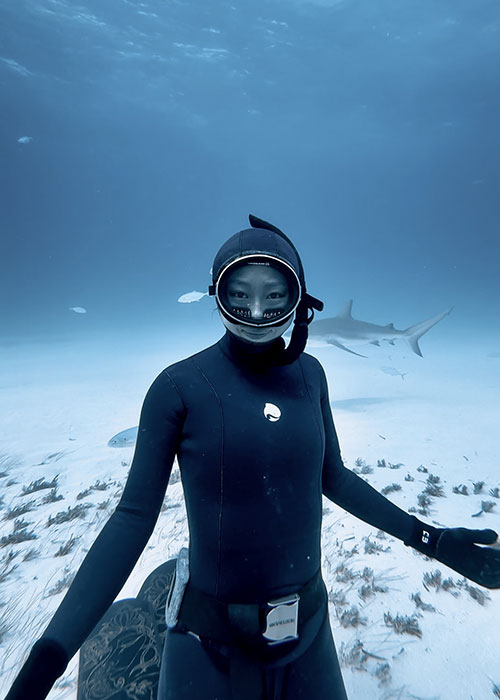
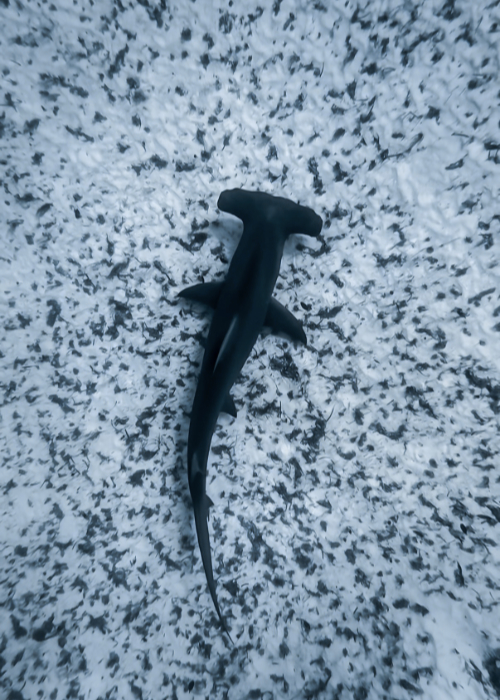
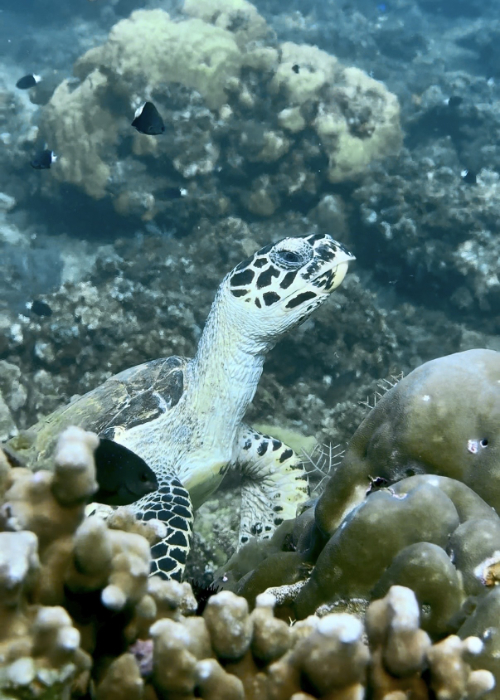
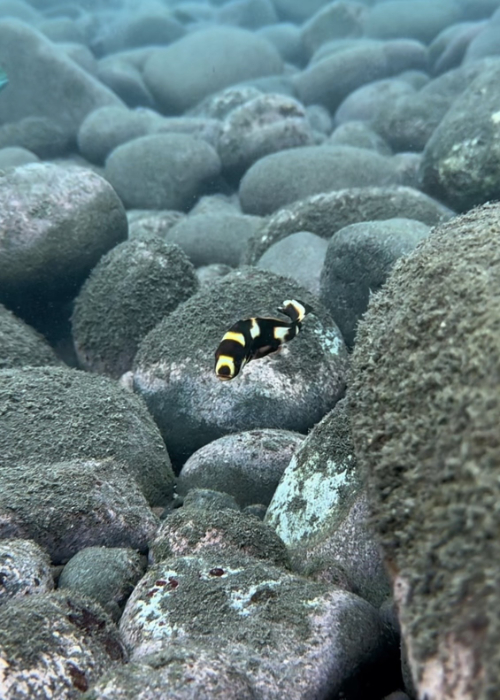
Here are some underwater photos from my recent dive in the Bahamas, shot on iPhone 16 pro:
If you are curious about my workflow and how I shoot underwater with my iPhone, I have written a full guide here: 👉 How To Take Underwater Shots With An iPhone
Quick Answer: Best Underwater Phone Cases for Photography
Here is the quick overview if you just want to compare the main options first, before going into the full details.
| Phone case | Best for | Phone compatibility | Depth rating | Control style |
| DIVEVOLK SeaTouch 4 Max Plus | Best overall/ touchscreen control | Most iPhones & Android phones | 60 m / 196 ft | Full touchscreen |
| Kraken KRH08 V2/ KRH07 V2 Pro | Rugged deep diving setup | Most iPhones & Android phones | 85 m / 280 ft | Buttons + Kraken app |
| Oceanic+ Dive Housing | iPhone divers + dive computer features | iPhone only | 60 m / 196 ft | Buttons + Oceanic+ app |
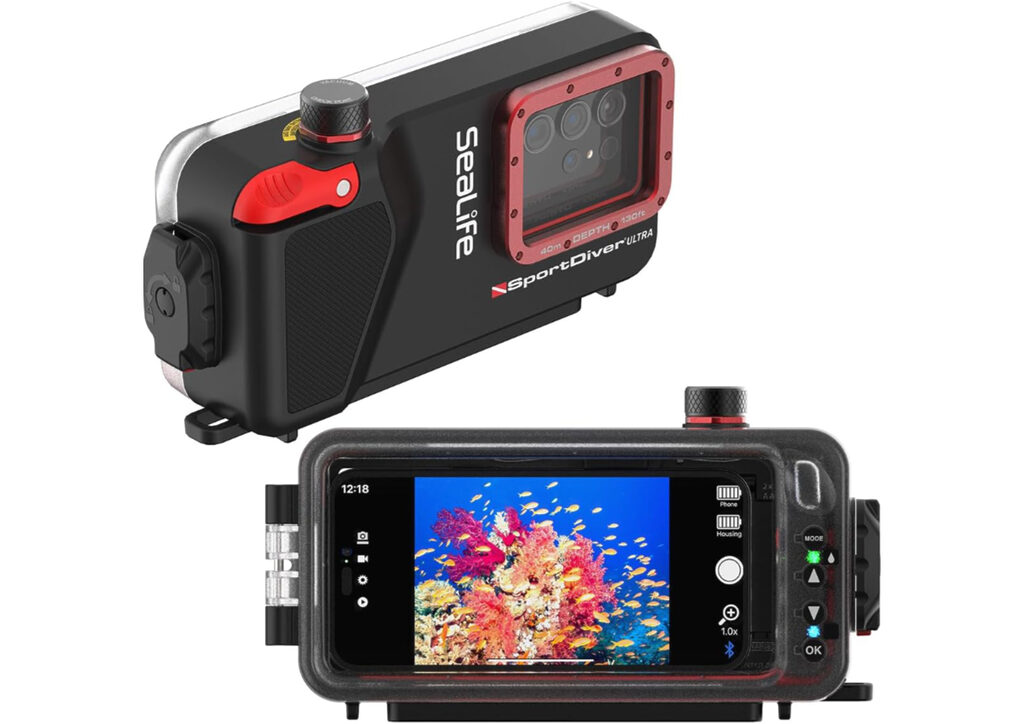
| SeaLife SportDiver/ Ultra | Mid-range complete kit | iPhone and Android | 40 m / 130 ft | Buttons + SeaLife app |
| ProShot Dive Case | Budget/ snorkeling/ casual use | iPhone only | 40 m / 130 ft | Buttons + ProShotCase app |
For me, DIVEVOLK is the strongest overall choice because of the full touchscreen control, but Kraken makes more sense if you want a rugged deep-diving setup, Oceanic+ is best for iPhone divers who want dive computer features, SeaLife is a good mid-range complete kit, and ProShot is the easiest budget option for casual use.
What Makes a Good Underwater Phone Case for Photography?
Phone Compatibility and Upgrade Flexibility
DIVEVOLK: All iPhone models and most android phones
Kraken: Most iPhones and android phones
Oceanic+ Dive Housing: iPhone only
SeaLife SportDiver: iPhone and Androids
ProShot: iPhone only
One thing I really like about DIVEVOLK is that when I upgrade my iPhone, I normally do not need to buy a completely new case. I just change the internal phone adapter, as long as the new phone still fits the same case model. Other cases like Kraken and SeaLife also support different phone models, but of course compatibility is not unlimited. ProShot is a bit different because it is mainly for iPhones, and Oceanic+ is also iPhone-only and depends more on iPhone support and retrofit kits. So before buying any underwater phone case, I would always check whether your current phone fits, and also think about whether your next phone might still work with the same case.
Touchscreen Control vs Button/App Control
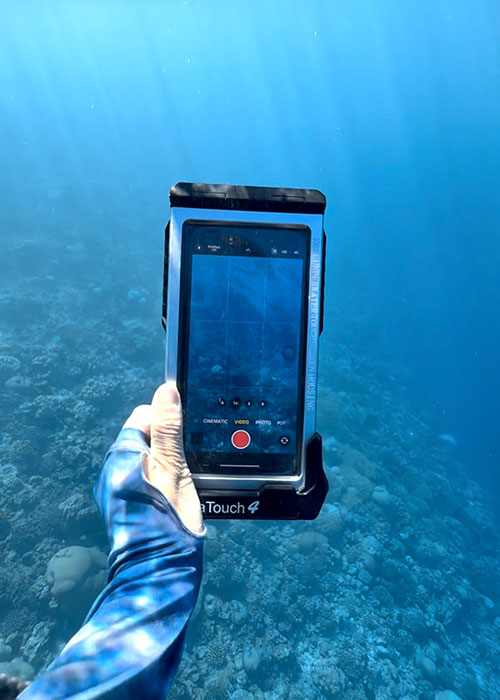
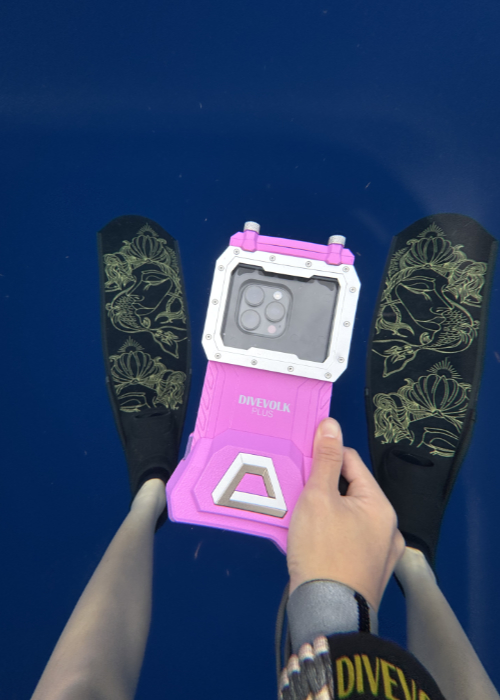
DIVEVOLK is the only case in this list that lets you use the touchscreen underwater. You can change settings, adjust zoom and exposure, switch between photo and video, all while you are underwater.
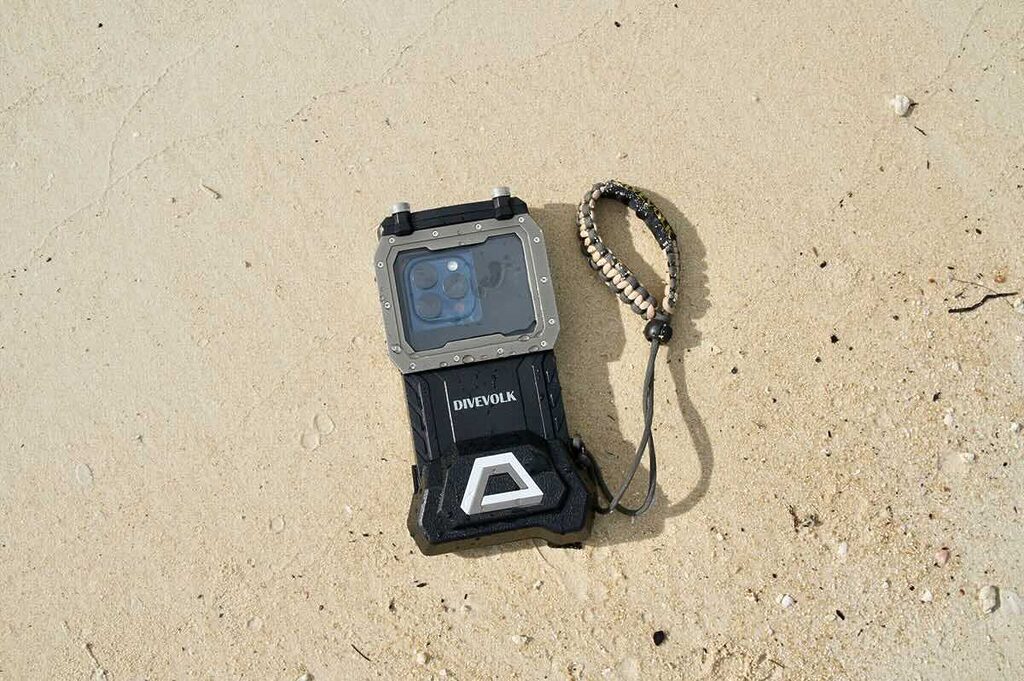
DIVEVOLK case uses a liquid-filled touchscreen membrane, which gives you full access to your phone screen. So this case does not need buttons for camera control. It feels more like using your phone on land, just inside a dive case. The membrane can be a little difficult to see through on land, but underwater it becomes very clear.
Kraken: It uses physical buttons and requires you to download the Kraken app to control the phone inside the case.
Oceanic+ Dive Housing: It uses physical buttons and the Oceanic+ app. You need to use the Oceanic+ app to control the camera and dive computer features.
SeaLife SportDiver: It has a large shutter lever on the front and control buttons on the back of the case. You need to download the SeaLife SportDiver app to use it.
ProShot: It uses buttons on the side of the case and the ProShotCase app. You need to use the app for underwater filming, because the ProShot casen does not give you touchscreen access underwater.
Setup and Ease of Use
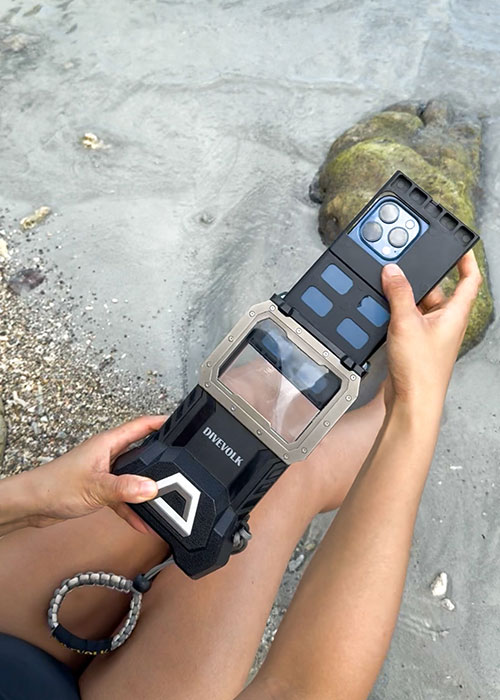
DIVEVOLK: by far the most simple one, just load your phone into the adaptor and insert into the case, tighten both screws on top, then you are ready to go. I would remove the phone screen protector before using it, because it can affect the touchscreen underwater, and in some cases the screen protector can also make the phone stuck inside the case.
Kraken: The phone is held in place with a sticky pad, and some setups also use foam blocks that you trim or cut to secure the phone, so it does not move around inside the case. It is more of a universal-style fit, so you have more DIY adjustment compared to a phone-specific tray. The Kraken case also includes a 18650 lithium-ion battery, which can also charge your phone while it is inside the case. You need to download the Kraken app to use the case.
Oceanic+ Dive Housing: This one is for iPhone only. The Oceanic+ Dive Housing has an internal brace to hold the phone securely, and it is powered by a rechargeable battery pack. You need to download the Oceanic+ app to use the case. It also has an automatic electronic vacuum pump, and a leak detector / seal check system that warns you if it detects pressure loss or moisture inside the case.
SeaLife: The SeaLife SportDiver case uses a holding spring and rubber grip tabs inside to keep your phone in place. The case also runs on batteries, and you need to download the SeaLife SportDiver app to use it. It has both a vacuum system and a leak detector, and you use a hand pump to draw the vacuum before the dive.
ProShot: ProShot uses a sliding insert with a spring-loaded clamp to hold the phone inside the case. You need to place the phone into the insert, and align the phone’s volume buttons with the case buttons, because the ProShotCase app uses the volume buttons to control the camera underwater. For smaller phones, foam pieces are included to help keep the phone in position. You need to open the ProShotCase app before sealing the phone inside, because there is no touchscreen access once the phone is inside the ProShot Dive Case.
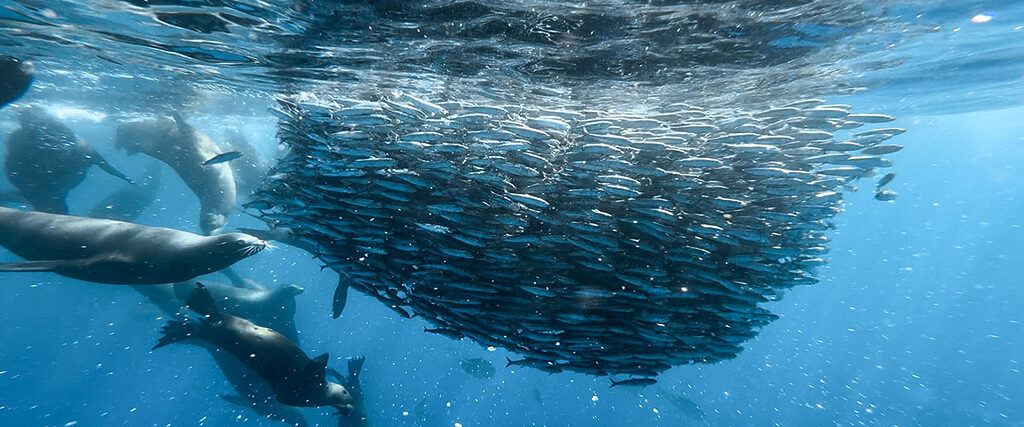
Depth Rating
DIVEVOLK: 60 m / 196 ft
Kraken: 85 m / 280 ft for current V2 smartphone housings; some older models are listed around 80 m / 262 ft
Oceanic+ Dive Housing: 60 m / 196 ft
SeaLife: 40 m / 130 ft for SportDiver / SportDiver Ultra; SportDiver S is 30 m / 100 ft
ProShot: 40 m / 130 ft for ProShot Dive Case; ProShot Touch Case is only 15 m / 50 ft
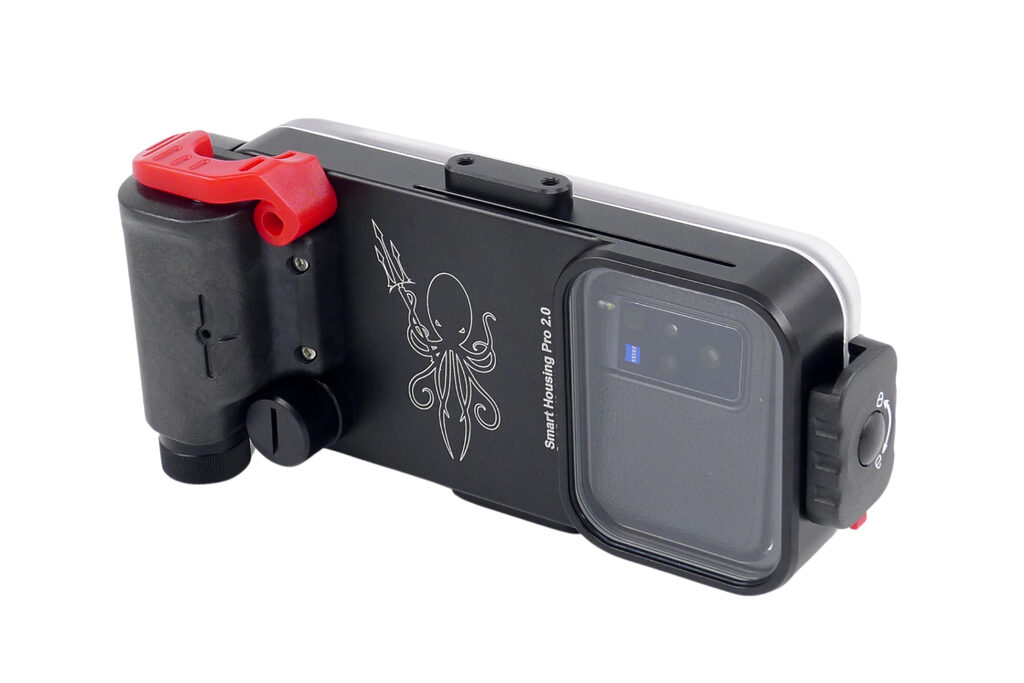
Leak Protection and Phone Warranty
Leak protection is a bit different for each underwater phone case, so I would not only look at whether the case has an alarm, but also what happens if something actually goes wrong. SeaLife and Oceanic+ Dive Housing both have stronger warning systems, with vacuum checks and moisture / leak alarms, so they can warn you before or during the dive if pressure loss or moisture is detected. ProShot is different because it offers a 12-month iPhone Protection Guarantee, which can cover repair or replacement if your phone gets water damage from a defective ProShot case, as long as you followed their warranty rules.
DIVEVOLK does not use a vacuum leak alarm system, and Kraken is more like a traditional dive case where you rely on proper sealing, clean O-rings / gaskets, and checking the case before each dive. So for me, the simple way to think about it is: Oceanic+ and SeaLife give you more electronic warning before something goes wrong, ProShot gives you the strongest phone-protection guarantee, and DIVEVOLK / Kraken depend more on correct setup and careful maintenance.
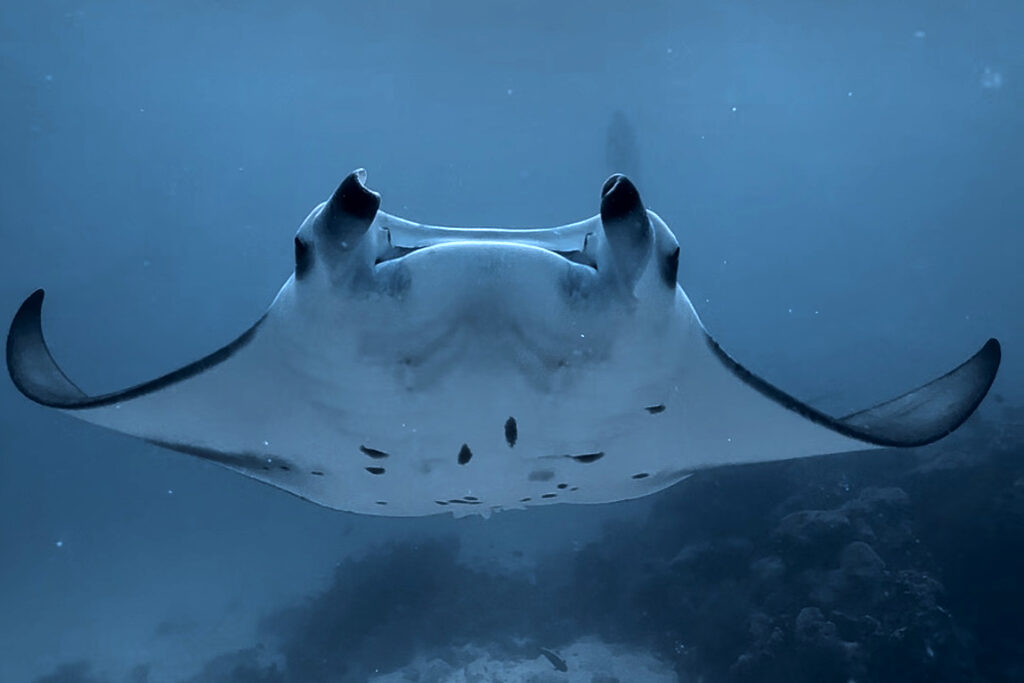
Lens and Accessory Compatibility
A phone case is only as good as the images it helps you create, and different shooting styles need very different tools. If you want to shoot wide-angle reef scenes, macro details, or use video lights and filters, the accessory system around the case actually matters a lot. So here is how each brand handles lenses, lights, filters, and how practical it feels for real diving.
DIVEVOLK: DIVEVOLK is probably the strongest option here when it comes to accessories, because they built a whole modular system around the case. The Expansion Clamp with 67mm lens adapter lets you add trays, lights, arms, wet lenses, macro lenses, and red or magenta filters. It takes a bit of setup because you need to align the clamp with your phone camera, but once it is set up, it is very practical. I personally use the DIVEVOLK case with the wide-angle lens mount for most of my underwater videos, and I explained the reason in this video here: 👉 People Don’t Believe These Were Shot on an iPhone Underwater (Here’s How I Take Them)
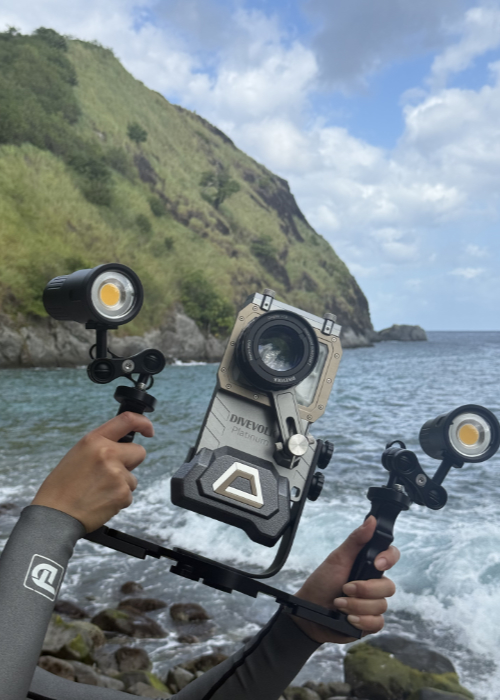
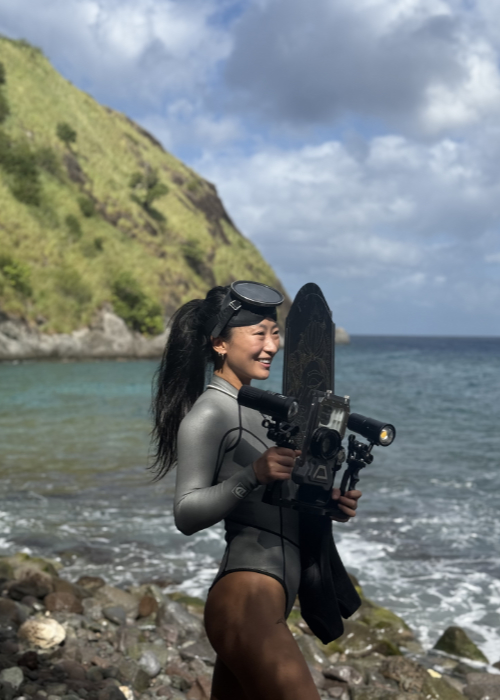
Kraken: Kraken feels more like a heavy-duty diving setup, almost like a real underwater camera rig, not just a casual phone case. It works with pro-style aluminum trays, heavy-duty video lights, and M52 or M67 threaded wet lenses, which are standard sizes used by many underwater photographers. The lenses are usually made with proper optical glass, so the quality is strong, but it also makes the whole setup feel heavier and more serious. It is very practical if you want a rugged, professional-style setup for scuba diving, but screwing glass lenses onto a metal thread underwater needs a steady hand, so it is not the easiest system for beginners.
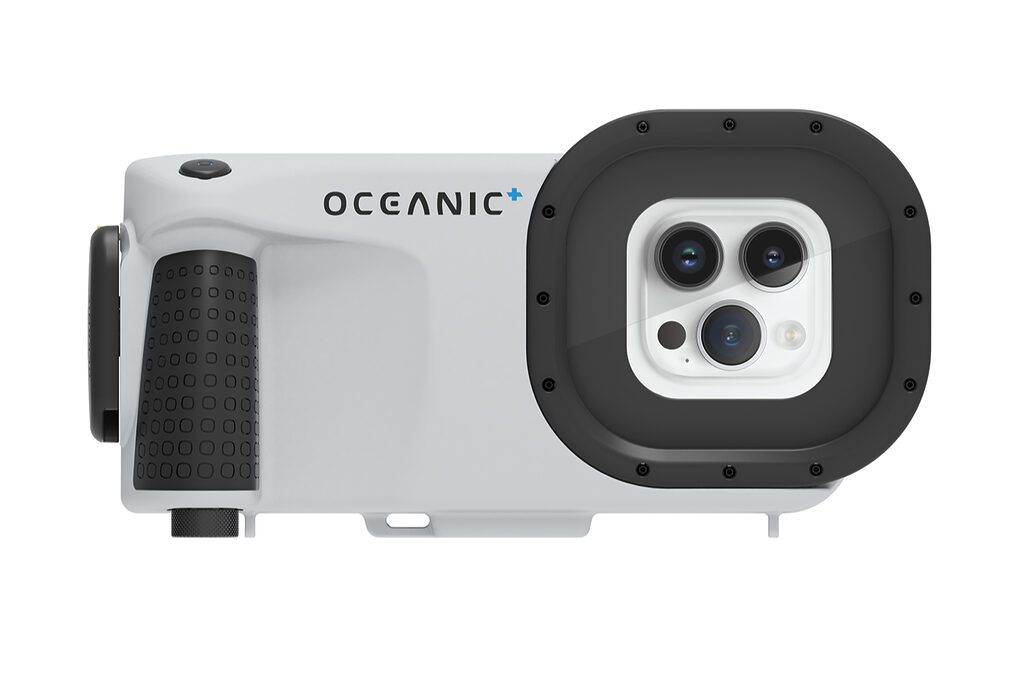
Oceanic+ Dive Housing: Oceanic+ Dive Housing takes a much more minimal approach. It has a basic bottom mount, so you can attach it to a universal tray or add a single light, but it does not really support external wet lenses. Instead, it relies on your iPhone’s built-in cameras and the Oceanic+ app. There are no lenses or physical red filters to deal with, because the app does the color correction digitally. This makes it very easy and clean for casual divers who want less clutter, but for someone who really wants to play with wide-angle, macro, filters, and more creative photography tools, it is quite limited.
SeaLife: SeaLife has a very beginner-friendly accessory system, especially if you want a complete matching kit without thinking too much. The SeaLife SportDiver case can use snap-on adapters for wide-angle dome lenses and macro lenses, and SeaLife is also known for their Sea Dragon video lights and Flex-Connect trays. Their physical red filters are also simple to use, because they just press-fit over the front. The whole system is probably one of the easiest on this list, because the tray and light setup clicks together quickly without tools, so it is very practical for divers who want something simple, reliable, and already made to work together.
ProShot: ProShot is more designed for action sports, surfing, shallow snorkeling, and rough outdoor use than serious underwater photography. It has basic accessories like slide-on red filters, floating hand grips, chest mounts, and it uses a standard GoPro-style mount, so you can use many cheap third-party action-camera accessories. This makes it very easy and practical if you want something simple and rugged, but it does not offer advanced macro or wide-angle glass lenses, so it is much more limited if your main goal is high-quality underwater photography.
Weight and Travel
When traveling for a dive trip, baggage weight and how to carry the case in your suitcase is also important to know.
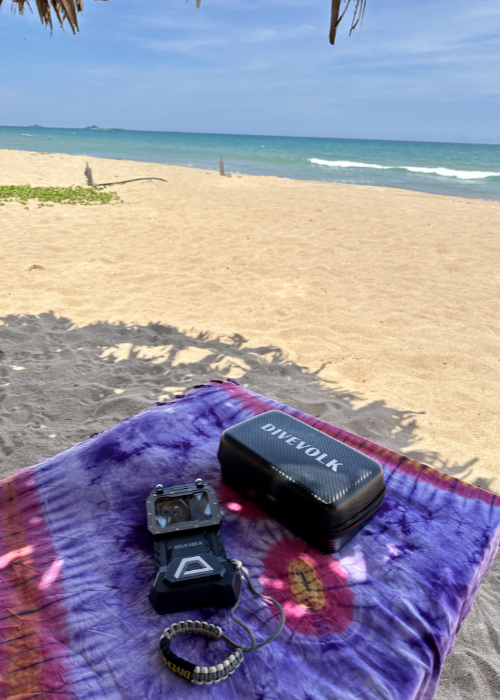
DIVEVOLK: The DIVEVOLK SeaTouch 4 Max Plus is one of the lightest underwater phone cases here, weighing 375 g / 0.83 lb on land and about 150 g underwater. It is easy to travel with, and DIVEVOLK also sells an EVA travel case for the SeaTouch 4 series. When flying, I would keep the case slightly open and protect the front touchscreen membrane from sharp objects or pressure in your luggage.
Kraken: Kraken is heavier and bulkier, around 1.9 lb / 862 g out of water, so it feels more like a small camera case than a compact phone case. It also uses a 18650 lithium-ion battery, so spare batteries should go in your carry-on with the terminals protected.
Oceanic+ Dive Housing: The Oceanic+ Dive Housing is the heaviest one here at 975 g / 2.15 lb, but it feels very solid and comes with a thermoformed travel box. It also has a rechargeable lithium battery via USB-C, and because Oceanic lists the operating temperature as 4°C to 35°C / 39°F to 95°F, I would avoid leaving it in hot sun or overheated luggage.
SeaLife: SeaLife’s SportDiver cases are travel-friendly, but not as compact as DIVEVOLK. The SportDiver / SportDiver S is around 641 g / 1.41 lb, while the SportDiver Ultra is under 808 g / 1.78 lb. They also come with useful travel and maintenance items like a travel case, vacuum pump, spare O-rings, lubricant, wrist strap, and Moisture Muncher, depending on the model.
ProShot: ProShot is quite travel-friendly and easier to pack than bigger dive cases. I would not list an exact weight for the ProShot Dive Case unless it is confirmed on the current product page, but the ProShot Touch 2.0 is listed at 0.8 lb / 13 oz. Both come with useful accessories like a protective travel case, floating hand grip, wrist strap, and cleaning tools.
Price and Long-Term Use
DIVEVOLK: The DIVEVOLK SeaTouch 4 Max Plus is usually around $258 USD for the basic case on the official DIVEVOLK website, and of course the price goes up if you add lenses, filters, lights, trays, or full kits. For long-term use, I think this is one of the stronger options, because it works with many iPhone and Android models, and when you upgrade your phone, you can often just change the internal phone adapter instead of buying a whole new case. I also like that you can use your normal camera app or third-party apps through the touchscreen, so you are not fully locked into one specific case app.
Kraken: The Kraken KRH08 V2 is usually around $375 USD, while the KRH07 V2 Pro is around $449 USD and adds extra depth and temperature sensor features. It is more expensive than DIVEVOLK, SeaLife, and ProShot, but it also feels more like a rugged, traditional dive setup, with an aluminum body, high depth rating, 18650 battery system, and good accessory options. For long-term use, it can make sense if you want something tough and more camera-rig style, but just remember that you are using the Kraken app and button controls, not a full phone touchscreen.
Oceanic+ Dive Housing: The Oceanic+ Dive Housing is priced at $429.95 USD, so it is not the cheapest one, but it is also more than just a phone case because it connects with the Oceanic+ app and can work as a dive computer setup for iPhone users. For long-term use, it makes the most sense if you are fully in the iPhone ecosystem, and Oceanic also offers retrofit kits for newer iPhones, which helps a bit when phone models change. But it is still less flexible than universal-style cases, because it is made for iPhone, not Android.
SeaLife: SeaLife sits more in the mid-range. The SportDiver S is around $259.95 USD, while the larger SportDiver Ultra is around $349.95 USD. For long-term use, it is a solid option because it supports many iPhones and Android phones, has leak protection, and also has a good accessory system with filters, lenses, trays, and lights. The only thing I would keep in mind is that it uses the SeaLife SportDiver app, and SeaLife says the app works with the current and previous phone operating system versions, so very old phones may eventually become a problem.
ProShot: ProShot is the most budget-friendly option here, usually starting around $150 USD depending on the version and retailer. For the price, it is a very accessible underwater phone case for travelers, snorkelers, and beginner divers, and it also includes useful things like a protective travel case and a 12-month iPhone protection guarantee. For long-term use, the main advantage is the low price and broad iPhone compatibility, but the big limitation is that it is not touchscreen-compatible underwater, so you need to use the ProShotCase app and control the camera with your phone’s volume buttons.
My Current Underwater Phone Case: DIVEVOLK SeaTouch 4 Max Plus
My current underwater phone setup is the iPhone 16 Pro inside the DIVEVOLK SeaTouch 4 Max Plus. Before this, I also used the same DIVEVOLK case with my iPhone 14 Pro and iPhone 15 Pro Max, so this is not something I only tested once on one random dive trip. I have been diving with DIVEVOLK for around 3 years now, and it has become my main setup for filming underwater iPhone content.
The biggest reason I chose this case, and also why I stayed with it for so long, is the full touchscreen underwater. It feels much closer to using my actual phone underwater, instead of using a camera locked inside a box where everything has to be controlled with buttons.
Of course, the case is not perfect. One thing to know is that I usually remove my phone’s screen protector before using it, because screen protectors can affect the touchscreen function and also make the phone fit too tight inside the case. I am honestly quite clumsy, so I do worry about scratching my phone screen, but my solution is just to bring a few extra screen protectors when I travel for diving. I remove it during the dive trip, use the phone in the case for those days, and then put a new one back on when the trip is finished.
If you want to know more about DIVEVOLK, how to use the case and accessories, and how to get better underwater shots with it, I wrote a full review here: 👉 Divevolk SeaTouch 4 Max Plus Review: Is It Worth It?
Which Underwater Phone Case Should You Choose?

After comparing these underwater phone housings, I do not think there is one perfect choice for everyone. It depends a lot on how you dive, how you like to shoot, and what kind of result you want from your phone footage.
Some people want full creative control underwater. Some just want something simple for holiday snorkeling clips. Some scuba divers may care more about depth rating, leak detection, or dive app features. And some creators may care more about travel weight, speed, and how easy it is to film without overthinking every setting.
So instead of only asking “Which case is the best?”, I think it is better to ask: Which one fits the way you actually dive and create?
Choose DIVEVOLK if you want touchscreen control and content creation freedom.
Choose Kraken if you want the most rugged deep-diving setup.
Choose Oceanic+ if you are an iPhone diver and want dive computer features.
Choose SeaLife if you want a complete mid-range kit.
Choose ProShot if you want the cheapest/simple option for snorkeling or casual use.
DIVEVOLK Discount Code: DIVETIAN6
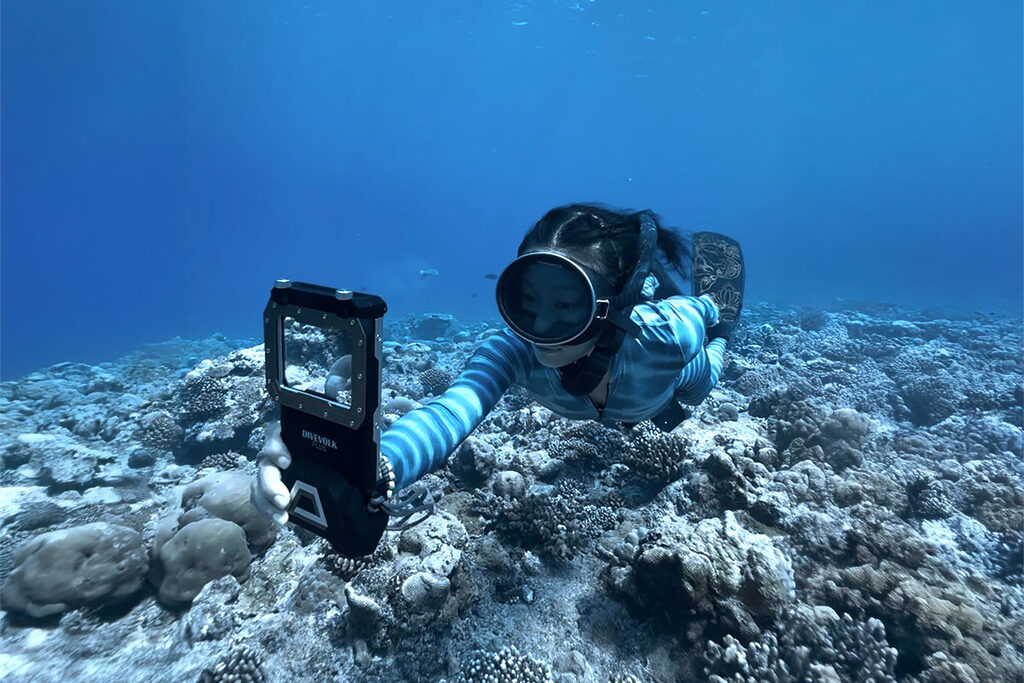
If you are interested in the same touchscreen underwater phone case I am using, here is a full review I wrote after 3 years of diving with it: 👉 Divevolk SeaTouch 4 Max Plus Full Review
If you’re ready to order now use my DIVEVOLK discount code DIVETIAN6 at checkout to get:
- 6% off your entire order
- A free Protective Cover
- A free DIVEVOLK Outdoor Waterproof Sling Bag on orders over $500
👉 Use code: DIVETIAN6
👉 Order through my DIVEVOLK discount link
The extra freebies usually won’t show on the checkout page, but they will be automatically added to your order by DIVEVOLK.
Just a quick note: I may earn a commission if you order through my link, but this is the exact underwater phone case setup I use myself.
FAQ About Best Underwater Phone Cases for Photography
Can I use a normal waterproof phone pouch for underwater photography?
You can use a normal waterproof phone pouch for very casual shallow-water photos, but I would not recommend it for serious underwater photography. A pouch is usually harder to control underwater, the image quality can be softer, and the touchscreen often does not work properly once submerged.
For snorkeling close to the surface, it may be okay for simple memories. But if you want sharper photos, better video, and more reliable protection for your phone, a proper underwater phone case is a much better choice.
Can iPhones take good underwater photos?
Yes, iPhones can take surprisingly good underwater photos and videos when used with a proper underwater phone case. The newer iPhones have strong cameras, good stabilization, and high-quality video settings, which makes them very capable for underwater content.
But the phone alone is not enough. You still need a reliable underwater case, good light, stable movement, and some basic understanding of underwater colors. The deeper you go, the more color and light you lose, so the final result also depends on the conditions.
Do I need a red filter or underwater light?
It depends on how deep you dive and what kind of colors you want. In very shallow water, especially around 0–5 m / 0–16 ft, you can often get nice results with natural light only. Once you go deeper, red, orange, and yellow tones start to disappear, so your footage can look very blue or green.
A red filter can help bring back warmer tones in natural light, especially for scuba diving. And if you dive deeper or filming close-up subjects, an underwater light can make a big difference. For the best results, many people use a combination of filters, lights, and color correction in editing.
Is touchscreen control important underwater?
Touchscreen control is not necessary for everyone, but it is very useful if you want more creative control underwater. With a full touchscreen case like DIVEVOLK, you can use your phone more like normal: tap to focus, adjust exposure, switch camera modes, and use different camera apps.
If you only want simple snorkeling videos, button control may be enough.
What is the best underwater phone case for freediving?
For freediving, I personally prefer the DIVEVOLK SeaTouch 4 Max Plus because it is compact, travel-friendly, and gives me full touchscreen control underwater. Freediving happens quickly, so I like being able to adjust settings directly on the screen instead of relying only on buttons.
But the best underwater phone case for freediving also depends on your style. If you want full control and more creative freedom, DIVEVOLK is a strong choice. If you only want simple shallow water clips, a more basic case may be enough.